Case 10 · SmartTask · 2023
- Role
- UX Designer
- Scope
- Mobile concept
- Platform
- Mobile · AI
- Outcome
- 20% efficiency gain
- Team
- Solo concept
↓ Scroll — the work
Efficiency gain
fewer missed SLAs
Tasks re-ordered
automatically, live
Multi-role coverage
cleaner · tech · partner
The AI-Integrated Smart Task Management Application was designed to enhance operational efficiency across various user roles, including cleaners, nanocoating technicians, and partner companies. By integrating premium features such as AI-powered task management and real-time assistance, the application not only streamlines everyday operations but also provides intelligent recommendations, workload balancing, and task prioritization.
The project was structured using the MoSCoW prioritization framework to focus on essential features for the Minimum Viable Product (MVP) while incorporating advanced AI functionalities in later phases.
My Contribution
Responsible product designer for crafting the user experience, wireframing, UI designing, prototyping, and conducting user research to integrate both standard and AI-enhanced features effectively. Worked closely with AI developers to ensure smooth integration of intelligent task management tools.
Problem Statement
Task management services often face challenges such as disorganization, inefficient scheduling, and lack of dynamic task prioritization. The goal was to create an application that not only organizes and assigns work but also uses AI to optimize task distribution based on urgency, location, worker availability, and job complexity.
Users
Target Users
Employees
Perform daily tasks in various locations with optimized routing and scheduling
Nanocoating Technicians
Manage specialized tasks such as deep cleaning and nanocoating applications
Partner Companies
Oversee client relationships, work scheduling, and comprehensive task reporting
Premium Users
Access advanced AI-powered features for optimizing resource allocation and productivity
Process
Design Process
GOAL
User Research
Conducted interviews and surveys with cleaning staff, technicians, and company managers to identify pain points around manual task management and scheduling inefficiencies.
Wireframing & Prototyping
Developed wireframes for both standard and premium user flows, including AI-powered task assignment systems. Created high-fidelity prototypes for visualization.
AI Integration
Collaborated with AI development team to implement machine learning algorithms that analyze task complexity, location, and worker availability.
Design & Development
Worked closely with developers to prioritize MVP features while planning AI enhancements. Developed intelligent features for dynamic scheduling.
User Testing
Conducted usability tests with cleaners, technicians, and premium users. Collected feedback on AI-powered task suggestions and workload distribution.
Features
Key Features
Comprehensive feature set designed for maximum productivity and intelligent task management
AI Core
AI-Powered Task Management
- Intelligent Task Allocation based on priority & skills
- Real-Time Optimization as conditions change
- Predictive Workload Balancing
Work Scheduling & Navigation
- View upcoming shifts & schedules
- Navigate to work locations
- Route optimization for premium users
Task Feedback & Reporting
- Provide feedback on completed tasks
- AI pattern analysis for bottlenecks
- Auto-generated improvement reports
Onboarding
Easy account setup & app introduction
Nanocoating
Specialized instructions & AI recommendations
Admin Dashboard
User management & training oversight
Partner Portal
Predictive metrics & analytics
Enterprise workforce tools serve users across a wide range of abilities and environments. The platform was designed to WCAG 2.1 AA compliance: task priority levels use both colour and labelled icons (never colour alone), all views are keyboard-navigable without a mouse, and ARIA live regions surface real-time reordering events to screen readers — ensuring the AI's decisions are transparent to every user.
Impact & Results
Measurable Outcomes
Task Completion Efficiency
Through AI-powered dynamic prioritization and intelligent workload distribution
Premium User Satisfaction
Positive feedback on AI integration — users praised the system's ability to adjust workloads and optimize task flows
User FeedbackScalable Architecture
Design ensures future iterations can incorporate even more advanced AI features seamlessly
TechnicalChallenges Overcome
Ensuring algorithms were reliable and flexible enough to handle real-world unpredictability
Educating users on how AI improves efficiency and reduces manual effort
Key Takeaways
AI's Impact
Tangible improvements in task allocation, workload balancing, and real-time decision-making
User Education
Introducing AI features required educating users on benefits of automation
Iterative Design
Continuous feedback was critical to refining AI-driven functionalities
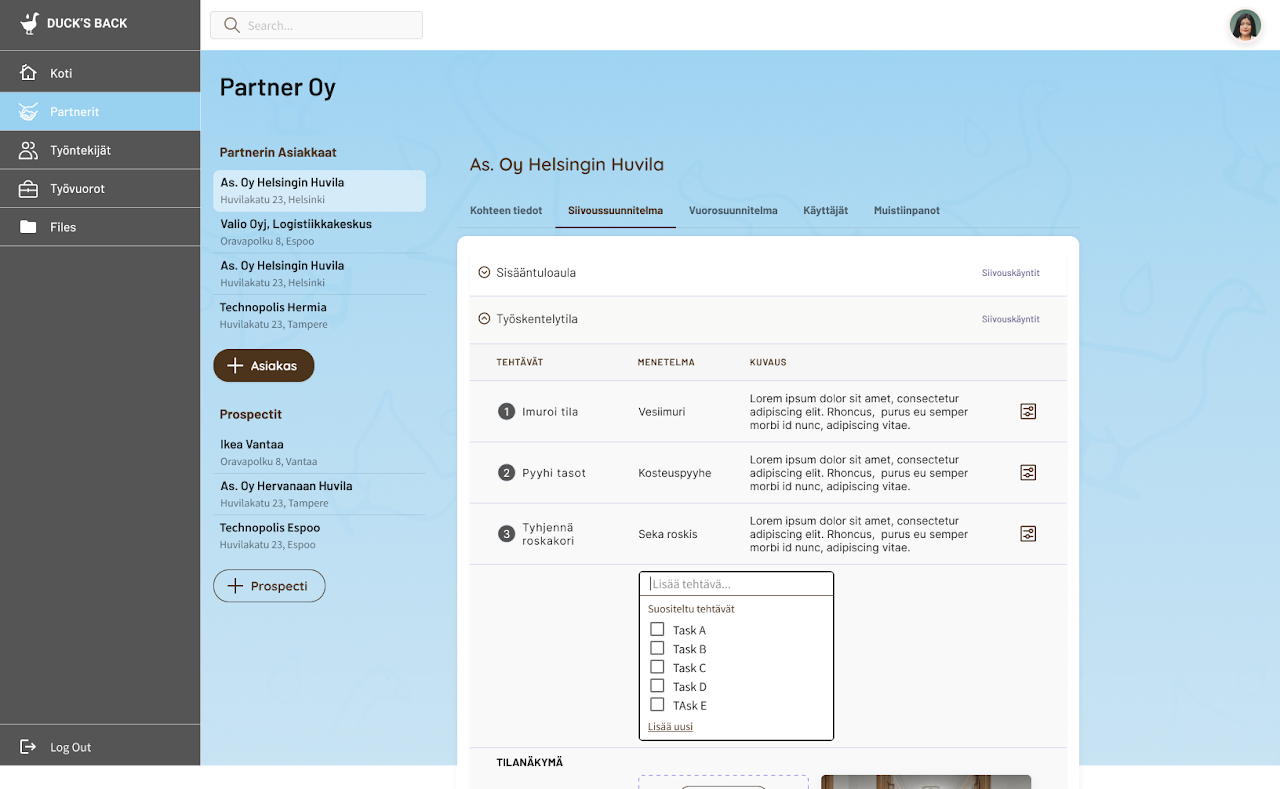
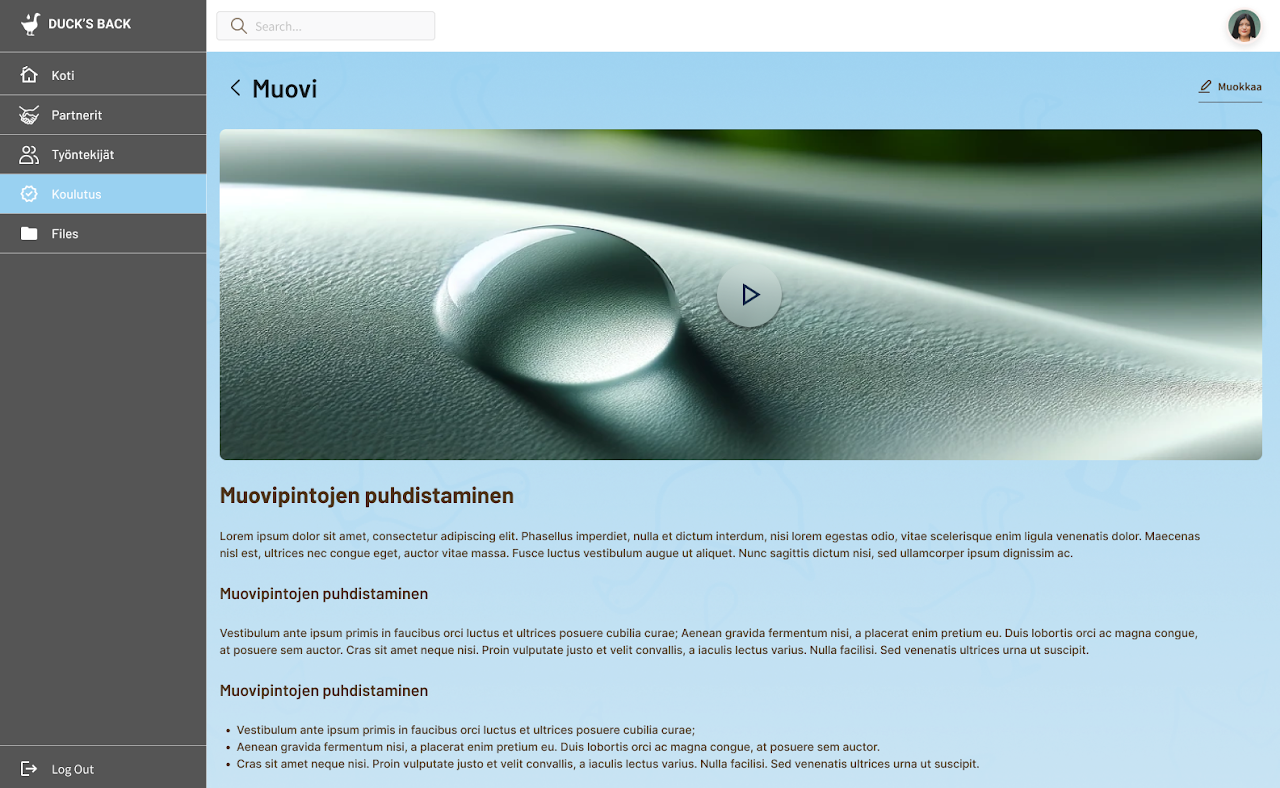
Management dashboard and planning tools designed for partner companies and internal teams.
Partner Dashboard
Comprehensive view of client information, cleaning schedules, and task management for partner companies
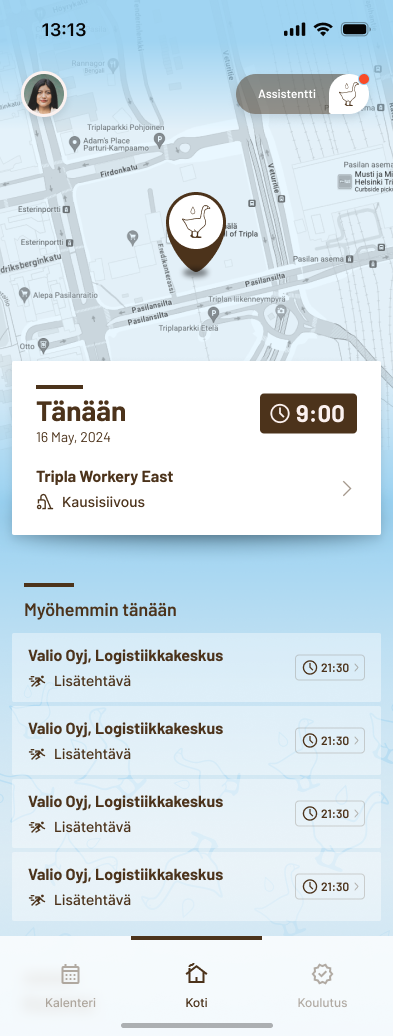
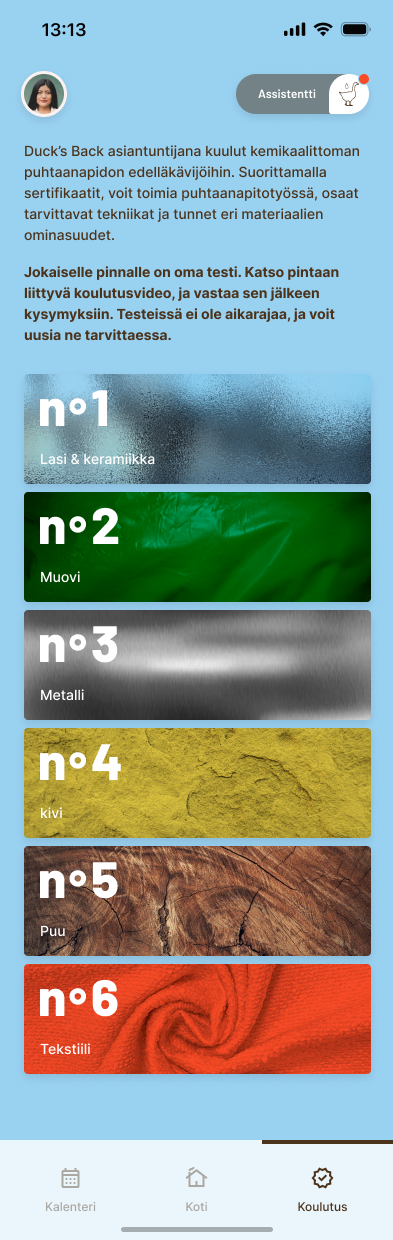
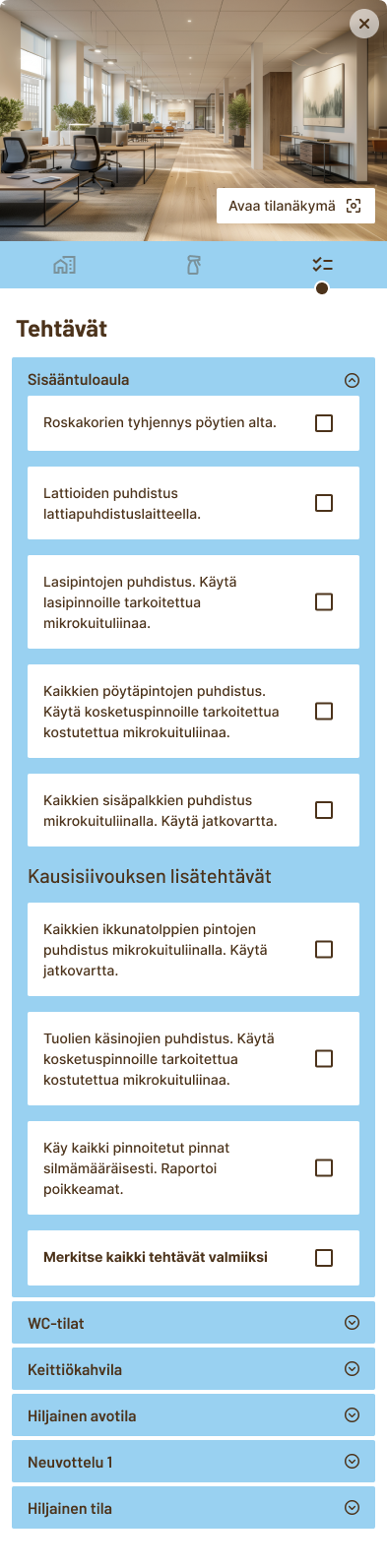
Native mobile interface for field employees — from scheduling and task execution to training and team communication.